The Complete Grok Bot Guide: From Beginner to Advanced
A practical guide to Grok Bot, from creating your first bot to running a team of bots that handle much of the work you used to do on a computer.
Nat Eliason
10 min read
Prefer to watch? Nat walks through everything in this guide in the video below.
These days, Grok Bot makes up 95% of my AI use. I barely touch Claude, ChatGPT, or anything else.
I'm one of the co-founders of Founders School, where teens work toward making a million dollars by graduation.
I develop the curriculum, work on the software we're building, lead the growth team, and help with enrollment.
That means a lot of coding, marketing, management, support, sales, and design work.
And Grok Bot helps with all of it. I like it so much that I even got every Founders School student the maxed-out $200/month plan.
But while I’m probably not the first person you’ve heard talk about loving Grok Bot, the question is always: “How do I get the most out of this?”
Well, that’s why I put this guide together. This was originally for our students, and now for you as well.
By the end, you'll be a Grok Bot power user, capable of doing more of your computer work through it than you ever thought possible.
Regardless of how much experience you have, there’s something in here for you.
The guide is split into three levels, so you can stop or start at whichever one is most useful to you right now.
What is Grok Bot?
Grok Bot is an AI agent that does the work you'd normally do on a computer.
It has its own computer and browser, and it connects to the tools you already use, like Gmail, Slack, Notion, and X.
Grok Bot handles real tasks from start to finish, like downloading and editing files, researching, drafting posts, or running routines that fire while you sleep.
You talk to it like a teammate in a chat, and it checks with you before anything goes out in your name.
How do you get started with Grok Bot?
Download Grok Bot here.
Create your first bot. Don’t worry about its name or job yet. You’ll figure that out as you use it.
Ask it a question or give it a simple task.
Don’t expect to be blown away yet. Right now it’s a smart assistant that knows nothing about you or your work.
This is a great first prompt that you can use to get up and running:
Interview me so you can set up my first two bots.
Ask one question at a time and keep it to five questions or fewer: what I do, which tools I use every day, what eats up my week, what I'd never want you to touch, and when I want to hear from you.
Then suggest two bots. For each one, give a name, a one-sentence job, the tools it needs, one routine with a set time, and a "never do" line.
Before you build anything, walk me through what each bot would do on its first run. Wait for my yes, then set up the first one.
Now, let’s start with some basics.
Level 1: Delegate Your Admin Work
Level 1 is where your first bot starts being useful. You connect it to your information, put it on schedules, and teach it skills.
Connectors: Never search for something again
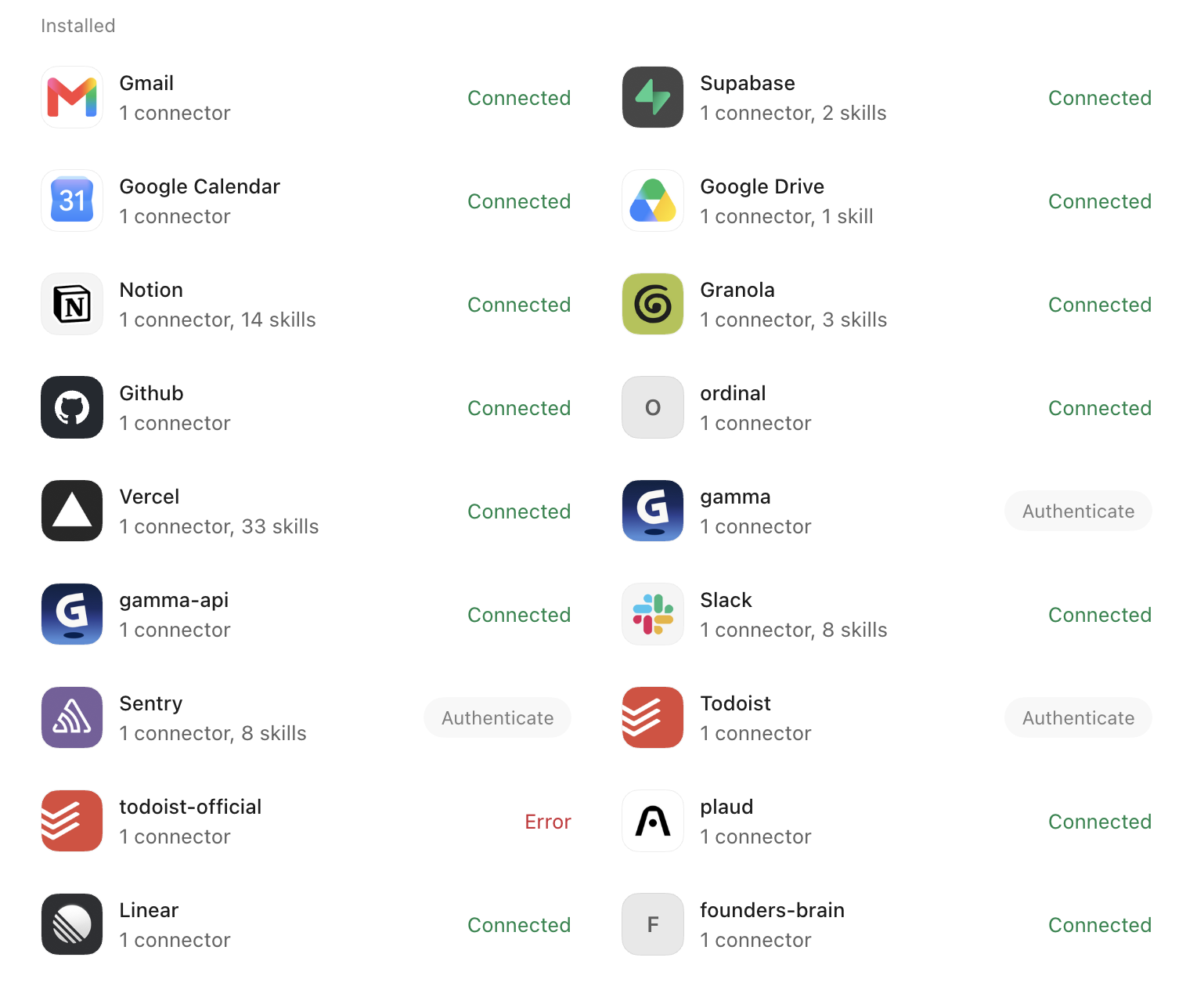
A lot of what you look for during a workday isn't on the open web.
It lives in your own tools: an email thread, a Notion page, last Tuesday's meeting notes.
A connector is a secure link between Grok Bot and one of those tools. Once it’s connected, your bot can search and read information in that tool and, when you allow it, take actions there.
It works through your own account, so it only sees what you can already see.
How to set one up
Ask your bot in plain words, like "Connect my Gmail" or "Connect Notion."
A connect card appears in the chat. Tap it and sign in to that tool the way you normally would.
Approve the access it asks for, and you're done. Nothing needs installing on your computer.
Repeat for everywhere your information lives: email, calendar, docs, Notion, Slack, Granola meeting notes. I have more than 30 connected.
One prompt to try
Find everything we've discussed about [project name] across my email, Notion, Slack, and meeting notes. Give me a summary of where it stands, who owns what, and any open questions, with links to the sources.
After that, whenever you need a doc, an email, or a decision someone made, you just ask your bot instead of digging through five apps.
Routines: Put it on a schedule
A routine is a saved instruction your bot runs on its own.
It can run on a schedule, like ‘every weekday at 6 a.m.,’ or when something happens, like a new email arriving. It can run even while your laptop is closed.
You set one up by telling your bot in plain words what to do and when.
Email is the best place to start because that’s where most of your daily admin piles up.
A couple of routines worth setting up:
Morning inbox: "Every morning at 5 a.m., go through my Gmail from the past 24 hours and list each email that needs a response from me, most urgent first. Give the sender, a one-line summary, and why it matters. Draft a reply for each, but send nothing."
Meeting prep: "Check my calendar every day for meetings and make prep docs to send me."
Describe the routine the way you'd describe it to an assistant, and the bot sets it up.
Skills: Never repeat yourself again
A skill is a reusable set of instructions your bot pulls in when it needs them.
A useful one you can build first is a "write like me" skill.
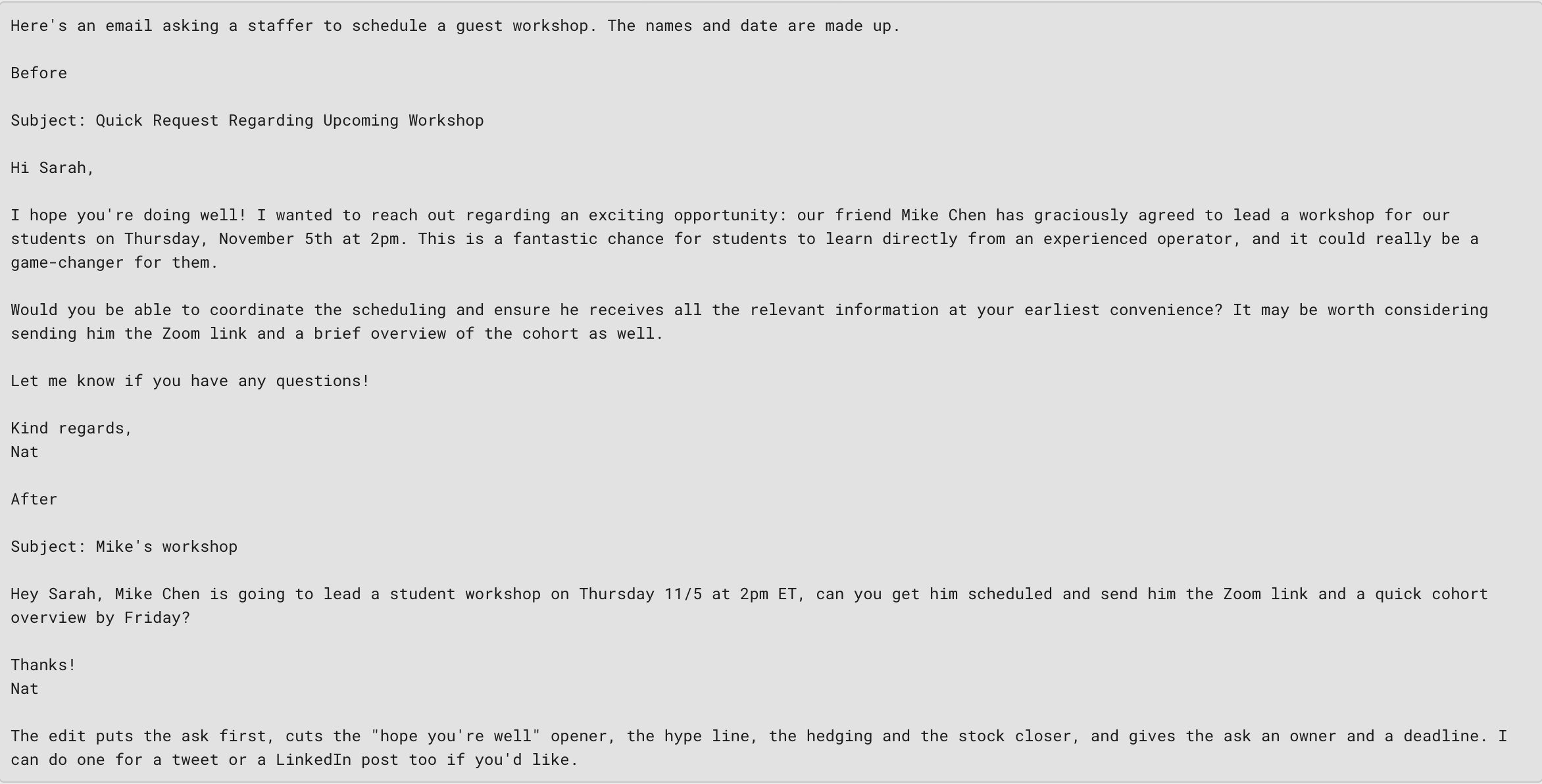
Tell your Grok Bot to create a "write like me" skill using your emails and any public writing you’ve published.
Then, when it drafts an email or any piece of writing, it sounds much more like you.
Here’s a good example of a before and after using my writing skill:
Level 2: Upskilling and delegating
Level 2 turns one assistant into a team.
At this level, you’ll delegate to several Grok Bots, get them working together, give them new abilities through APIs, and have them build things for you.
This is where your bots start taking on work you'd otherwise hire a full-time employee for.
Multiple bots: Start with a Productivity bot
Instead of having one general bot that gets cluttered with everything, you can have multiple bots, each specializing in a specific task.
One of the best bots you can set up outside of your general bot is one primarily focused on productivity.
To set it up, insert this prompt:
You're my productivity bot. Your only job is to help me plan, focus, and finish what matters, so leave everything else to my other bots.
Start by asking me three quick questions: what my top goals are this month, when I do my best focused work, and what usually derails my day.
Then set up these routines:
- Every weekday at 7 am, look at my calendar and to-do list and send me my top three priorities for the day, plus one thing I can say no to.
- Every weekday at 5 pm, ask what I got done, carry anything unfinished to tomorrow, and flag anything that's slipped more than twice.
Then connect it to the tools that job needs.
For me, that's Todoist for tasks, Granola for meeting notes, and a Notion doc for the day.
Now let’s talk about making the bots speak to each other.
Collaboration: make your bots work together
Grok Bots work best together when each one has a clear job and knows what the others do. To set that up:
Create a new bot with one clear job.
Make sure each bot knows its role and what the others are responsible for.
Tell them to message each other about anything that crosses into another bot's job.
That way, no single bot gets overloaded with context.
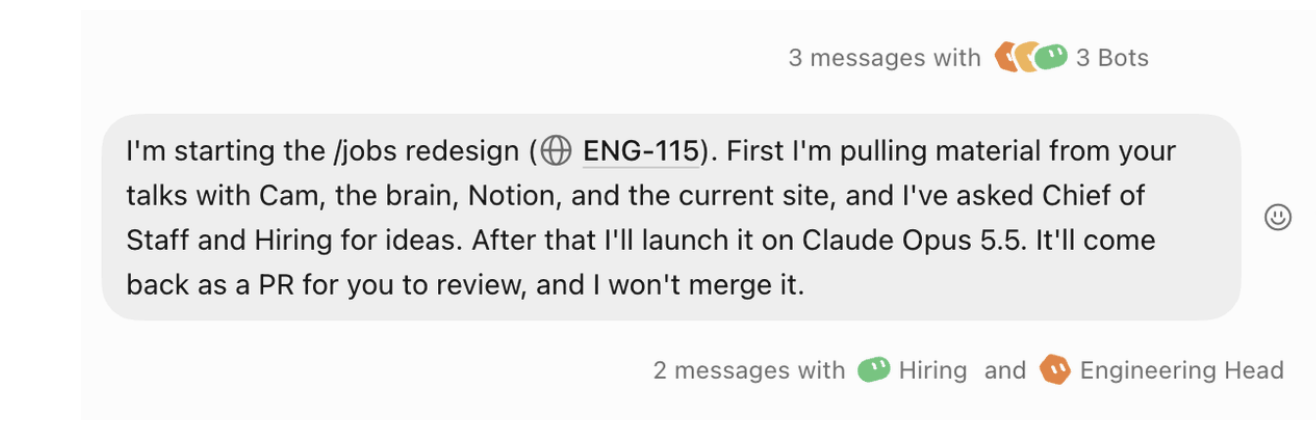
This is an example of how a few of my bots talk to each other.
Special APIs: Give your bots superpowers
An API is a way for one piece of software to use another service directly.
When you give your bot an API key for a specialized service, it can do things it couldn't do on its own, like pulling live data or generating something new.
Connectors let your bot see what you already have, and APIs add capabilities you didn't have before.
A great example of this is how we run SEO at Founders School using DataForSEO’s API. I can ask my Growth bot, "What are the top keywords Founders School is ranking for right now?" and it pulls the research straight from the API.
I don't need to go to an SEO tool or pay for another dashboard.
As somebody who ran a multimillion-dollar agency that did SEO, I can tell you Grok Bot can do a lot of what we used to charge for.
When you catch yourself wishing a bot could do something it can't, look for a service with an API that can do it, and connect that service to the bot.
Level 3: Living in Grok Bot
Level 3 is when Grok Bot becomes the command centre of everything you do.
You may find you rarely open those other apps at all.
The best example of this is my work at Founders School.
A lot of the work I do there now runs through it.
Meet the bots that help me run Founders School
I have 23 Grok Bots set up. These help me manage different areas of my work at Founders School.
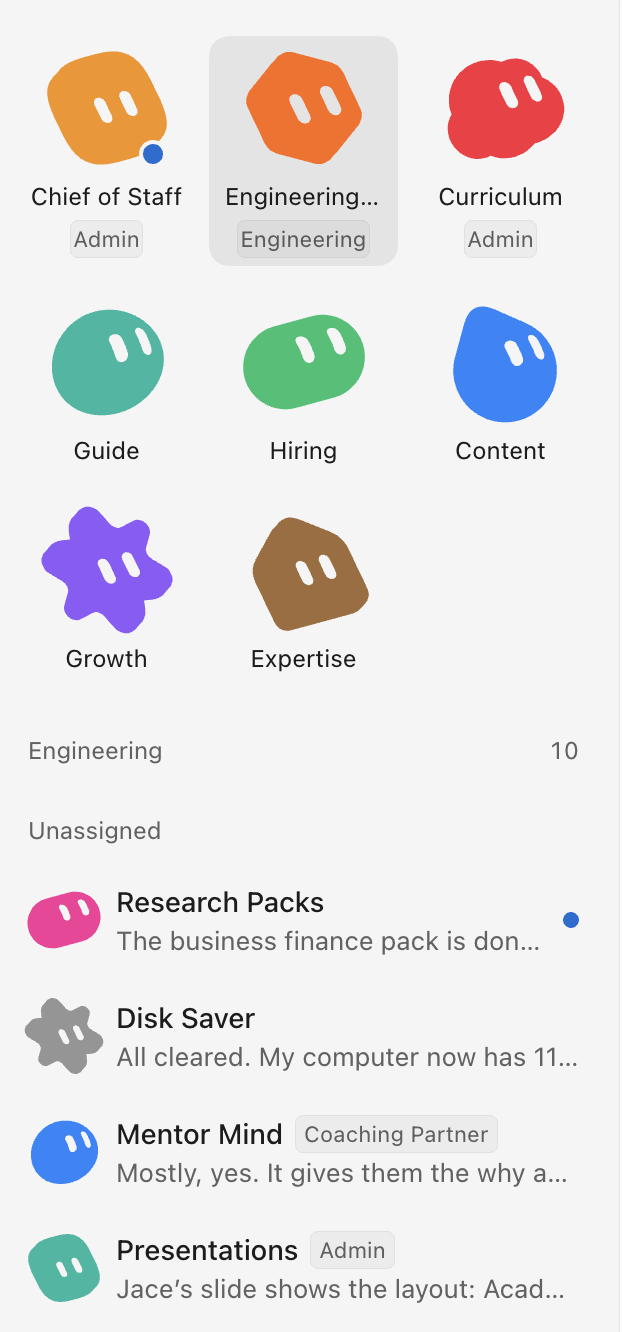
Chief of Staff: keeps me on top of what matters across the school.
Engineering Head: runs the software we're building, from bugs to new features.
Growth: researches who we should reach and how, using APIs for the heavy lifting.
Content: drafts posts, scripts, and newsletters.
Hiring: handles open roles and candidates.
Curriculum: helps build and update what students learn.
Guide: supports the guides who work with students every day.
CoFounder: owns the CoFounder app.
Expertise: owns the Expertise app.
Followers: owns the Followers app.
Founders School Site: owns founders.school
This doesn’t mean you need 23 to start.
Start with one bot, then split the work among more bots once things start to feel cluttered.
Mobile: productivity on the go
The Grok Bot mobile app lets you delegate from anywhere.
You can give commands by voice, or call a bot.
Behind the scenes, that bot has its own cloud computer tied to your account, plus every app and account you've connected.
It goes off, does the work on that computer, and comes back when it's done or needs your approval.
That's how I get so much done away from my desk.
Send from Grok Bot: Slack, email, Notion, and more
Grok Bot can send things for you, so you don't have to copy text from one app to another.
It can send a Slack message or an email, or update a Notion page.
Once it can send, it can help manage your inboxes. You review and approve everything from one place.
Build with Grok Bot: Cursor cloud agents and any model
Grok Bot can build software for you too, and you don't need to know how to code.
You describe what you want in plain words.
Your bot hands the job to a Cursor cloud agent, a coding assistant that runs on its own computer in the cloud and writes, tests and fixes the code.
The cloud agent picks whichever AI model fits the job best, then comes back with a working link or a pull request for you to review.
You can make almost anything this way, but it shines for custom dashboards and internal tools.
What's left for you?
With Grok Bot handling a ton of the manual work, I spend more time talking to students and colleagues, thinking, and planning.
Less time typing at my computer.
That's what makes it so freeing. I get to do more of the stuff I really enjoy.
FAQ
What is Grok Bot?
Grok Bot is a multipurpose AI agent that does the work you'd normally do on a computer.
You can connect it to your tools, put it on schedules, teach it skills, and run several bots with different jobs.
How do I set up multiple Grok Bots?
Create a new bot for each job, give it a one-sentence job description, and connect only the tools that job needs. A Productivity bot with your task list, meeting notes, and a daily doc is a good first one.
Then make sure each bot knows the others' roles and tell them to talk to each other.
Can Grok Bot replace employees?
It can take over a lot of the computer work that used to need a full-time person, especially once you give your bots APIs and let them build tools.
In my own work, it means I spend more of my time talking to people and observing, and I delegate the computer work.
Is Grok Bot good for students?
Yes. Founders School gives every student the maxed-out $200/month plan so they learn to work with AI agents while they're building.
A student can use the same levels in this guide for schoolwork and for their own business.
How much does Grok Bot cost?
Grok Bot has a premium tier that starts at $30/month, Super at $100/month, and Ultra at $200/month, with Teams starting at $30/user/month and Enterprise being custom-priced.
The plan we give every Founders School student is the maxed-out $200/month plan.
Do I need to know how to code to use Grok Bot?
No. You set up connectors, routines, and skills by telling your bot what you want in plain English. When you want software built, Grok Bot can use Cursor cloud agents to write the code.
Can I use Grok Bot from my phone?
Yes. The mobile app supports voice-to-text and calling, so you can give your bots work and check on it while you're away from your computer.
- Grok Bot
- AI agents
- AI for students
- Productivity